A digital behavior chart that does the tallying for you.
Mark each goal in seconds. The history builds itself, and the family sees today's chart on their phone in their own language. Free for a full class of up to 30 students, and it still prints.
A Google Slides behavior chart is still a paper chart on a screen.
Most “digital” behavior charts are a slide with smiley faces you drag into cells. That looks tidy and records nothing. Three things go wrong by the second week.
Nothing adds up. Friday's total is a teacher counting smileys, and last month's slide was overwritten by this month's.
Nobody can see the trend. “Is this working?” gets answered from memory at the conference, because the data is in a Drive folder as twelve separate files.
The family copy is a screenshot. In English. Sent when someone remembers, to the parent who has the app, if there is one.
A chart that records every mark as a data point.
The daily routine is the same one you already do on paper. What changes is everything that used to happen after school.
Per-goal, per-day logging
Mark each goal met or not met in a few seconds. Two goals, five days, thirty students: still under five minutes at the end of the day.
The history keeps itself
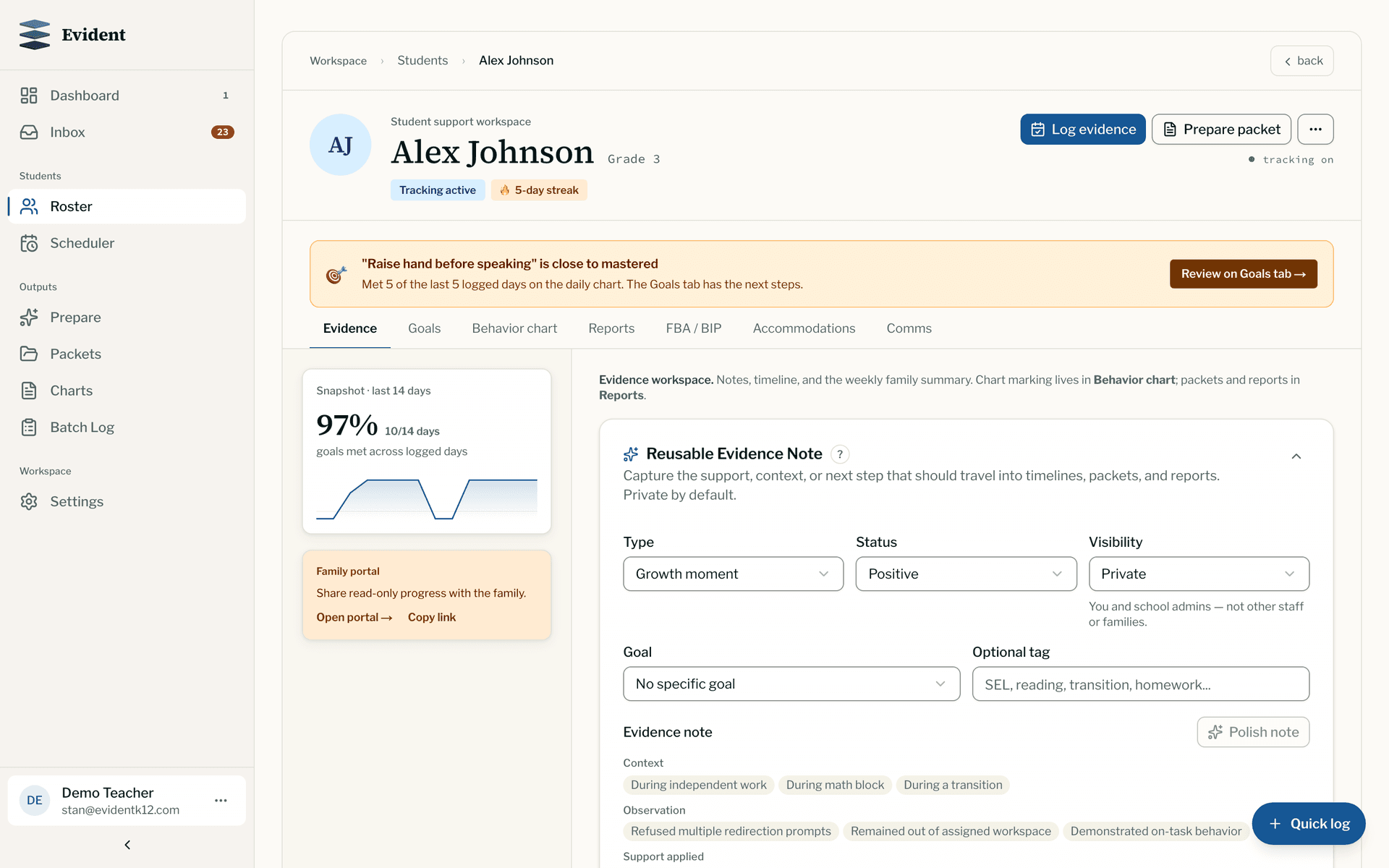
No tallying on Friday. Every student page shows a snapshot of the last two weeks and the day-by-day record, so a conference or a Tier 2 check-in starts from data, not memory.
Family portal, no app
Families open today's chart on their phone through a link or the QR code on the printed sheet. No download, no login, and they can sign off digitally.
28 languages
Goals, the reward, and the parent note translate with one click, so the family reads the same chart the teacher sees, in Spanish, Arabic, Vietnamese, Ukrainian, or any of the others.
It still prints
Every one of the 14 layouts prints on US Letter or A4. Run paper and digital at once, or start on paper and switch when the folder stops coming back.
Works where you already are
Chromebook, phone browser, or the Chrome extension from whatever tab is open. Charts work offline as an installable app and sync when you reconnect.
Slides template, printable PDF, or tracked digital chart?
All three are free. They differ in what you have at the end of the month.
| What you get | Google Slides or Sheets template | Printable PDF | Evident digital chart |
|---|---|---|---|
| Setup | Buy or copy the file, edit text boxes, duplicate per student | Pick a chart, print it | Pick a template and goals, about two minutes |
| Daily entry | Drag an icon into a cell | Pen | Tap met or not met, per goal |
| Weekly total | Count by hand (or write a formula in Sheets) | Count by hand | Automatic |
| Trend over weeks | Only if you keep every old slide and compare them yourself | Only if every sheet came back from the folder | Two-week snapshot and day-by-day history on the student page |
| Family view | Screenshot or share the file | Goes home in the backpack | Phone link or QR code, no app, digital sign-off |
| Translation | Copy each line into a translator | Copy each line into a translator | 28 languages, one click |
| Paper copy | Print the slide | Yes | Yes, every layout, with the QR code |
| Cost | Free to a few dollars per file | Free | Free for a full class of up to 30 students |
If a printable is all you need this week, that is a fine answer: the free chart maker makes one in two minutes, and the printable library has a ready-made chart for 150+ specific goals.
Running check-in/check-out? Start from the right layout.
Four layouts cover CICO and self-monitoring. Pick one, choose goals from the library or write your own, add the reward, and watch the preview update as you go. Print it free, or track it digitally for a full class of up to 30 students.
The classic CICO card: three to five goals and a face to circle each day, reviewed at check-out and sent home.
Open this layoutClass Period Check-InOne row per class period with a box for each teacher's initials, for students who change rooms through the day.
Open this layoutBehavior ContractMeasurable goals, the reward the student chose, and signature lines for the student, teacher, and family.
Open this layoutSelf-Monitoring RubricStudent and teacher rate the same skills from 1 to 4 on their own, then compare. Good for older students building independence.
Open this layoutStart with goals teachers actually track.
Write your own, or pick from 150+ pre-written goals across PBIS, classroom routines, academic habits, self-regulation, social skills, executive function, and IEP-aligned categories.
What is a digital behavior chart?
A behavior chart where the daily marks are logged online instead of on paper, so the record accumulates by itself. The teacher still marks each goal met or not met each day. The difference is that the totals, the history, and the family copy happen automatically instead of being rebuilt by hand.
Is the digital behavior chart free?
Yes. The free plan covers a full class of up to 30 students, each with an active goal chart you can swap any time, daily logging, printable charts, translated family updates, and the family portal. It does not expire and does not need a credit card. PDF progress reports and evidence packets are on the paid plan.
Do parents need to download an app?
No. Families open the chart in their phone's browser through a link or by scanning the QR code on the printed sheet. It shows in their language, and they can sign off digitally. Nothing to install and no account to create.
Can I still print it?
Yes. Every layout prints on US Letter and A4 with a QR code in the corner, so a paper chart in the folder and the digital record are the same chart. Many teachers run both: paper on the desk, digital for the history.
How is this different from a Google Slides behavior chart?
A Slides or Sheets chart is a picture of a chart. Dragging a smiley into a cell records nothing anywhere else, so week-over-week trends, family updates, and meeting evidence all have to be rebuilt by hand, and the file lives in one teacher's Drive. A tracked chart records each mark as a dated data point, which is what makes the history, the family view, and the translation automatic.
Does it work on a Chromebook?
Yes. Evident runs in the browser, so a school Chromebook is all you need. The Chrome extension lets you log from any tab, and the charts work offline as an installable app when the Wi-Fi drops.
Is student data handled responsibly?
Family portal links are tokenized and read-only, evidence notes are private to the teacher by default, and Evident signs data processing agreements with schools. The privacy policy and DPA are published, and the security page explains how student data is stored.
The same daily marks become MTSS and IEP evidence.
A digital chart run for six weeks is six weeks of dated data points. When a student moves to a Tier 2 conversation or an IEP review, the record is already there: no re-entry, no reconstructing from loose sheets.