For the team supporting a student
Turn everyday observations into better student support.
Notes, goals, and progress in one student record.Bring notes, goals, and progress together in one student record. Your team can coordinate support, prepare for meetings, and keep families informed.
- Daily notes
- Goal tracking
- Team collaboration
- Meeting reports
- Family updates
Capture the day
The goal
Start a task with no more than one reminder.
Friday, Oct 9 · teacher note
One reminder to begin. Jordan then worked for eight minutes.
Staff-only next step: Keep the visual checklist nearby.
See the pattern
3 / 5recorded days with the goal met
- Mon5
- Tue6
- Wed7
- Thu8
- Fri9
✓ Met − Not yet · Every recorded day counts.
Choose the update
Family update · reviewed by you
Jordan began with one reminder or less on 3 of 5 recorded days. On Friday, they worked for eight minutes.
You choose what goes home. Staff-only notes stay out.
One record, prepared for different conversations. Confidential session notes stay out of these updates.
- 28languages for family updates, the portal, and packets
- 30students on the free plan, a whole class
- 152goals in the library, 70 of them IEP-aligned
- 0parent logins, apps, or accounts required
See what helps. Know what to try next.
Daily marks and observations show what is changing, where support is helping, and when the plan needs another look.
One record. The right view for each person.
Teachers, specialists, and counselors work from the student's record with access suited to their role. Families see the updates you choose to share.
How it works
One chart, three places it lives: on paper, in the teacher's record, on the family's phone.
The student keeps the chart. You keep the record.
The student takes the chart home and is in charge of it. You mark each goal in Evident, with a note home. Every mark is saved to the student's record.
01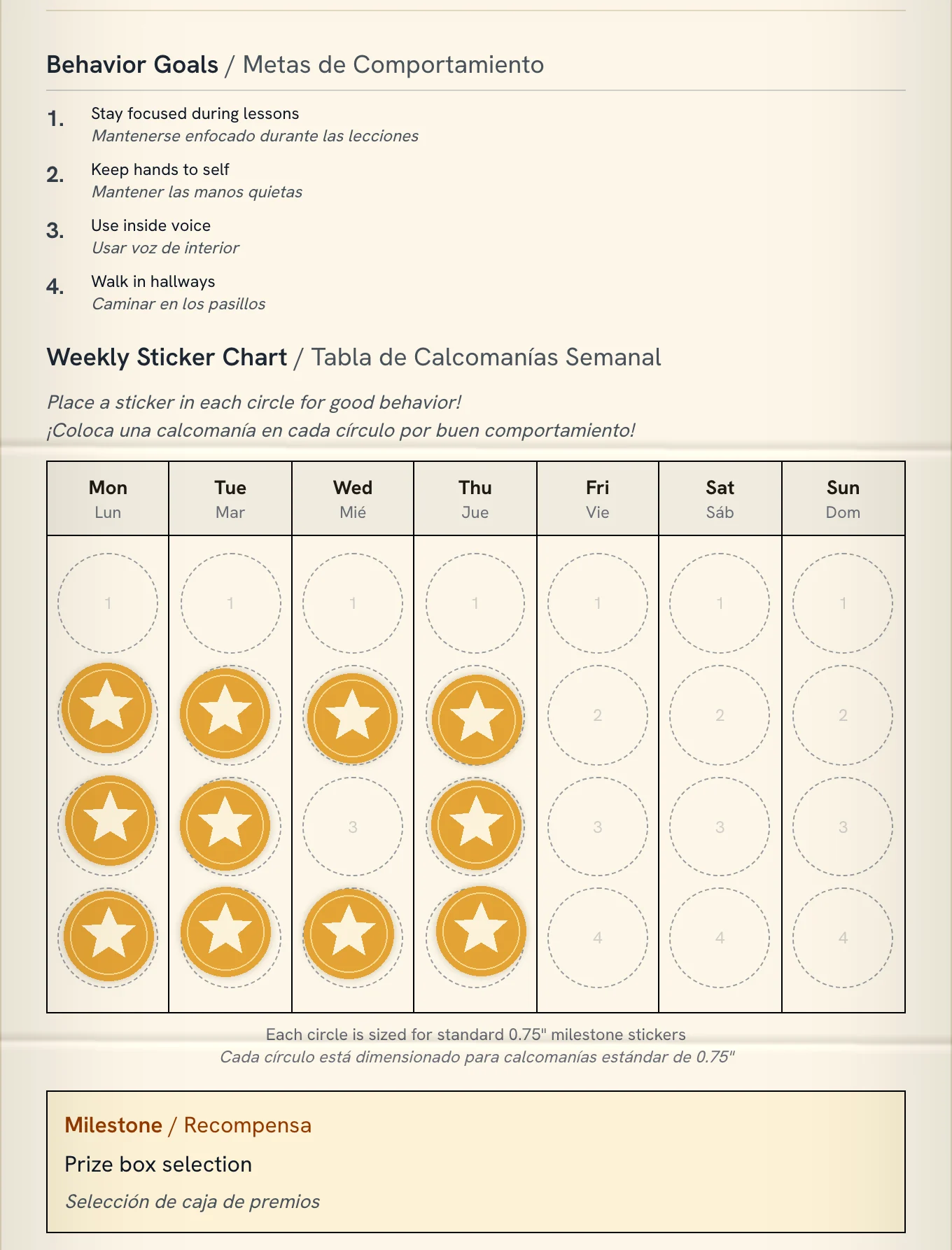
Charts get lost sometimes. The teacher's record doesn't. Saved to the recordThe family sees the day, and the week.
A link or QR code on the fridge. No app, no login. Each day and the whole week, in their own language. A shared conversation between the student, the family, and the teacher.
02Today, then the week, in the family's language 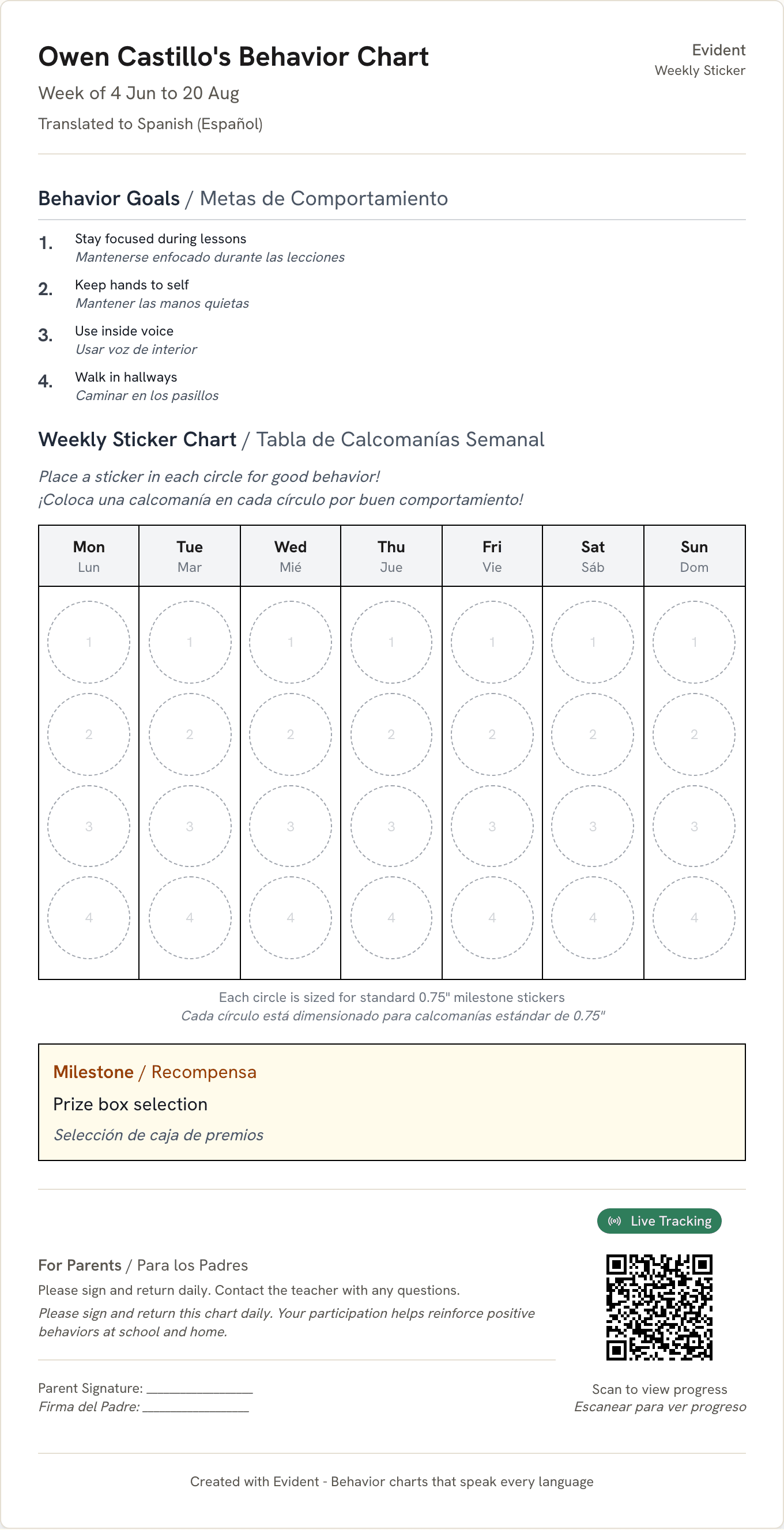
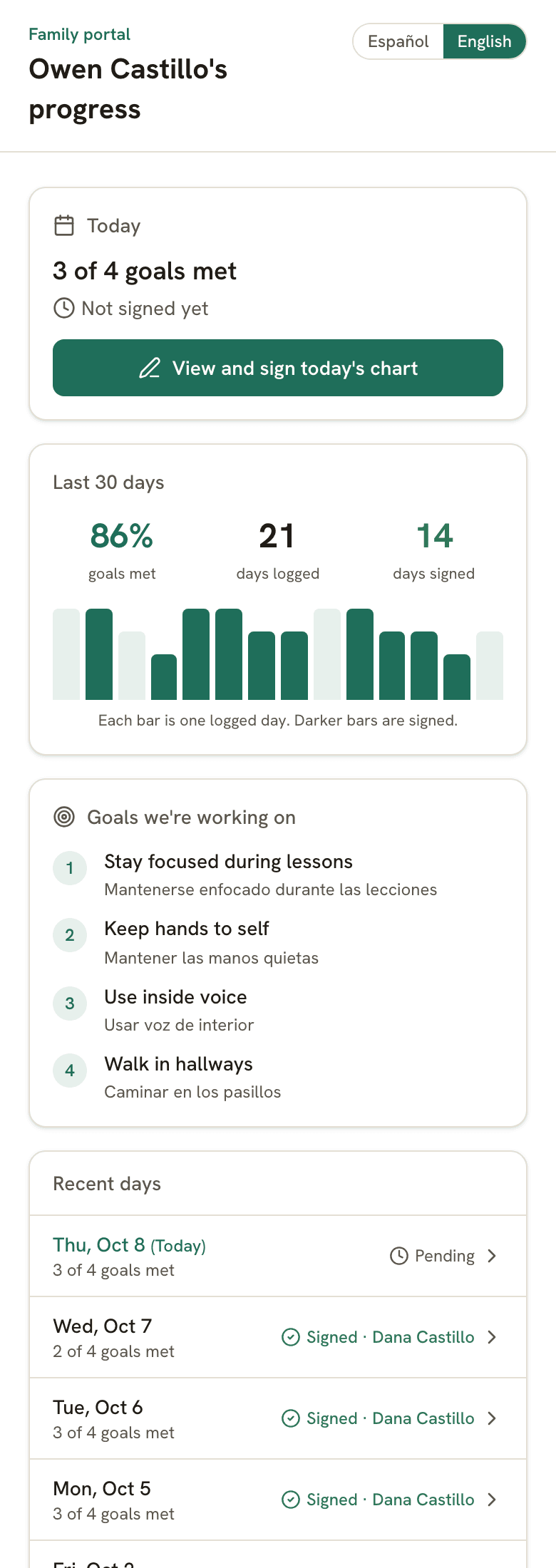
Printed on the chartScan it from the fridge, or tap the link anywhere.
The same week, in English The graphs, the data, the reports.
Baseline, target, and mastery on a dated graph. Progress reports and meeting packets built from the evidence. This is what the record is for.
03


Real PDFs from illustrative data. They come with Pro at $12/mo or a school plan; the tracking behind them is free.
Built for the whole team
One record, opened to the people who help, with the right view for each.
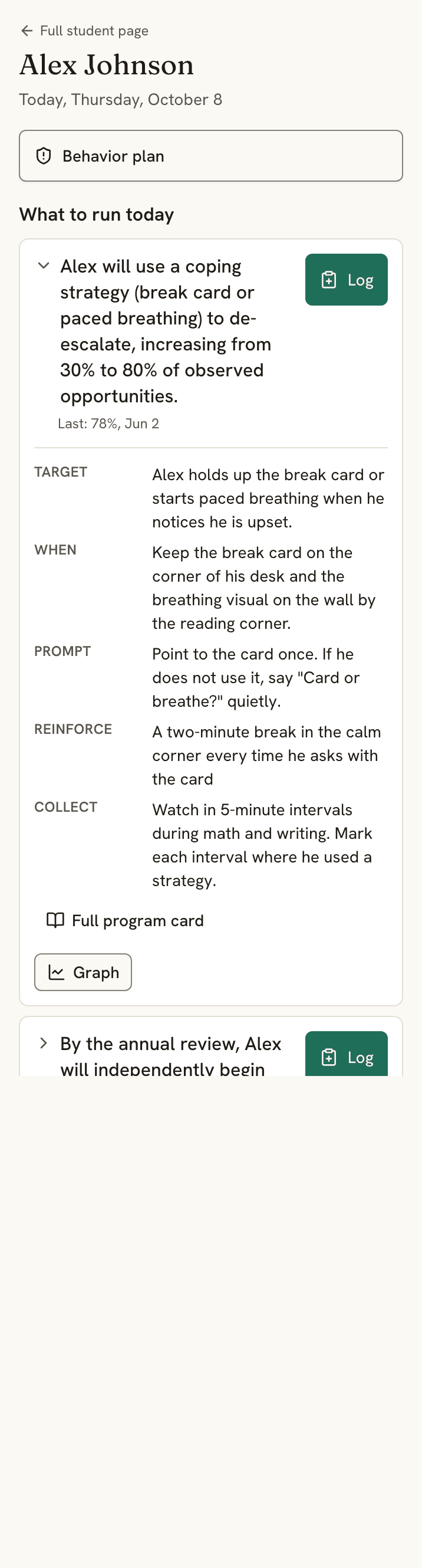
The para opens the student and sees what to run.
The Today view on a phone: each goal, how to run it, and one tap to log. Paras log data and respond to plan changes. They can't edit the plan.
Share the student, not a spreadsheet.
Add a co-teacher, specialist, or para and choose what they can do: edit the plan, log data, or view only. Plan changes reach everyone: told, confirmed, dated on the graph.
Take the teacher tour →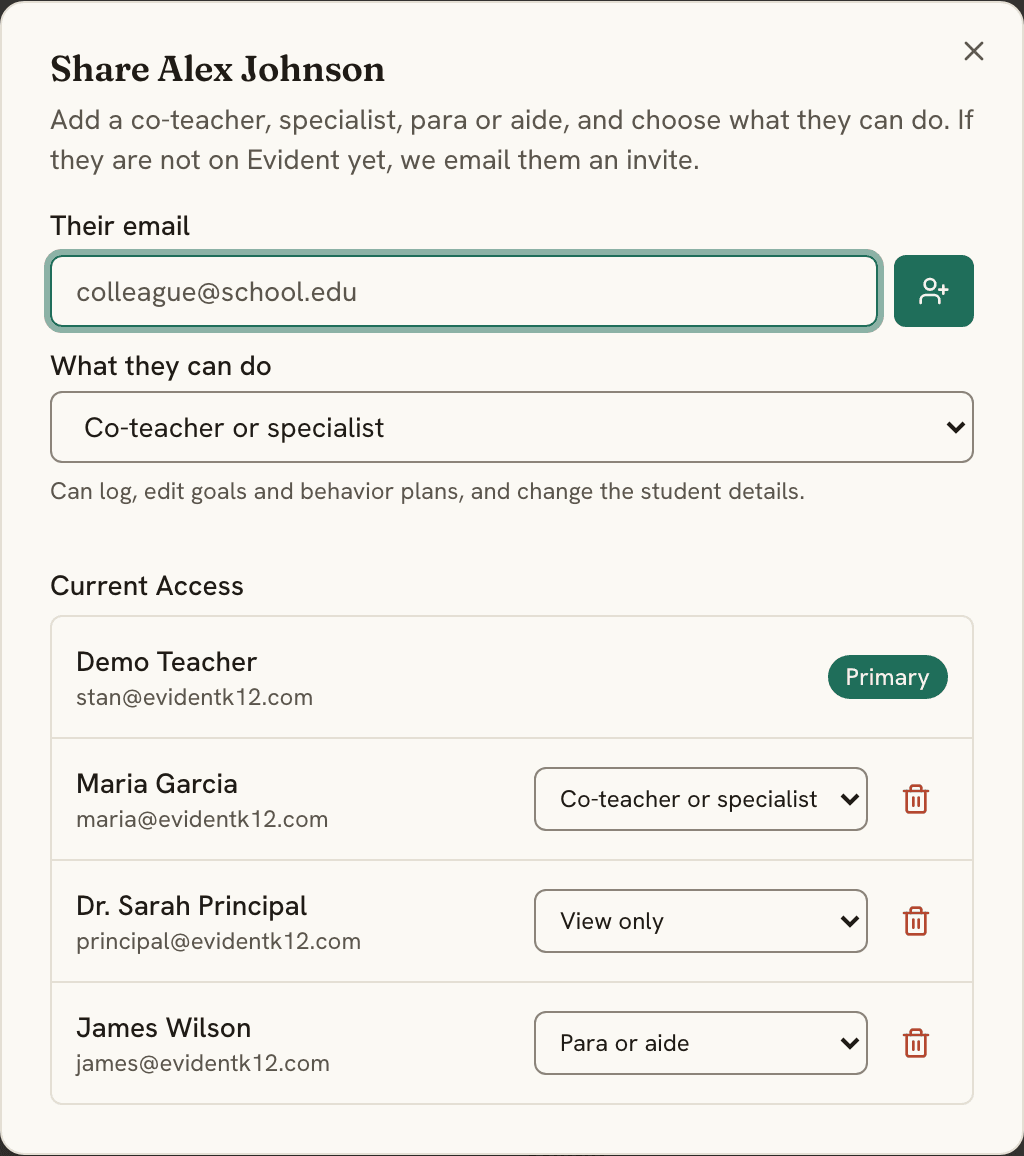
Counselor notes stay private.
A counselor's session notes are private to the student support team. If the counselor chooses, teachers can see that a session happened and its status, never what was said. Private notes stay out of reports and packets, and every time one is opened, it's recorded.
Take the counselor tour →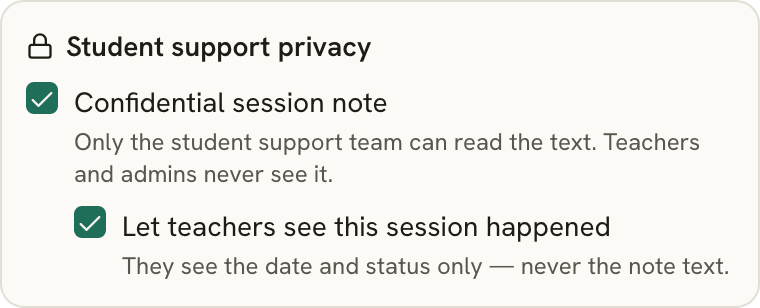
See which goals need a look.
One page lists every goal that has met its mastery rule, is close, has shown no gain, or has nothing recorded lately. Each row opens the student. You decide what happens next.
Take the case manager tour →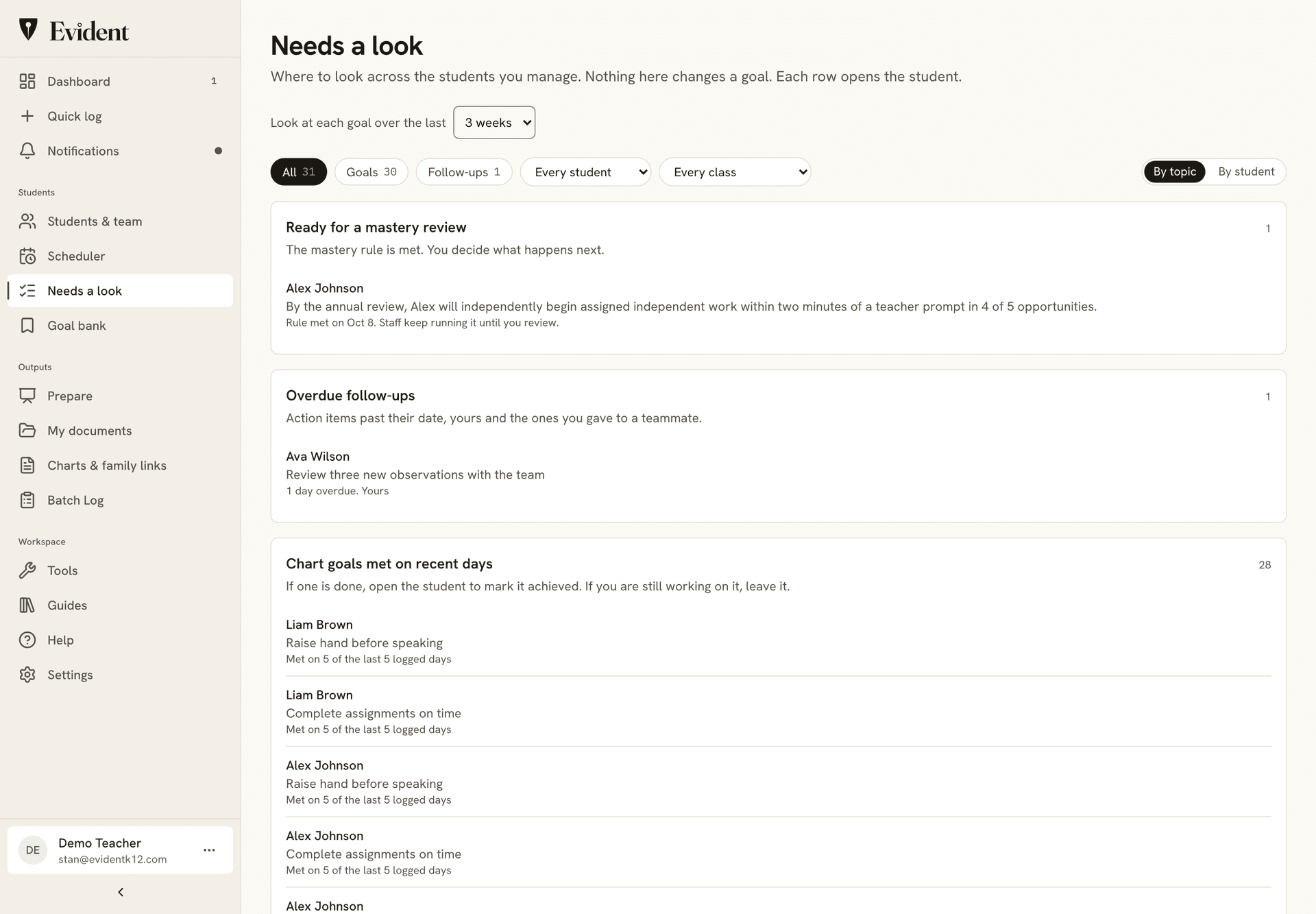
See progress across the school.
Goal marks, days signed, and days recorded for every student, by grade, teacher, or time range, and exported to a spreadsheet. An audit log records every change, and every time a private note is opened.
Take the administrator tour →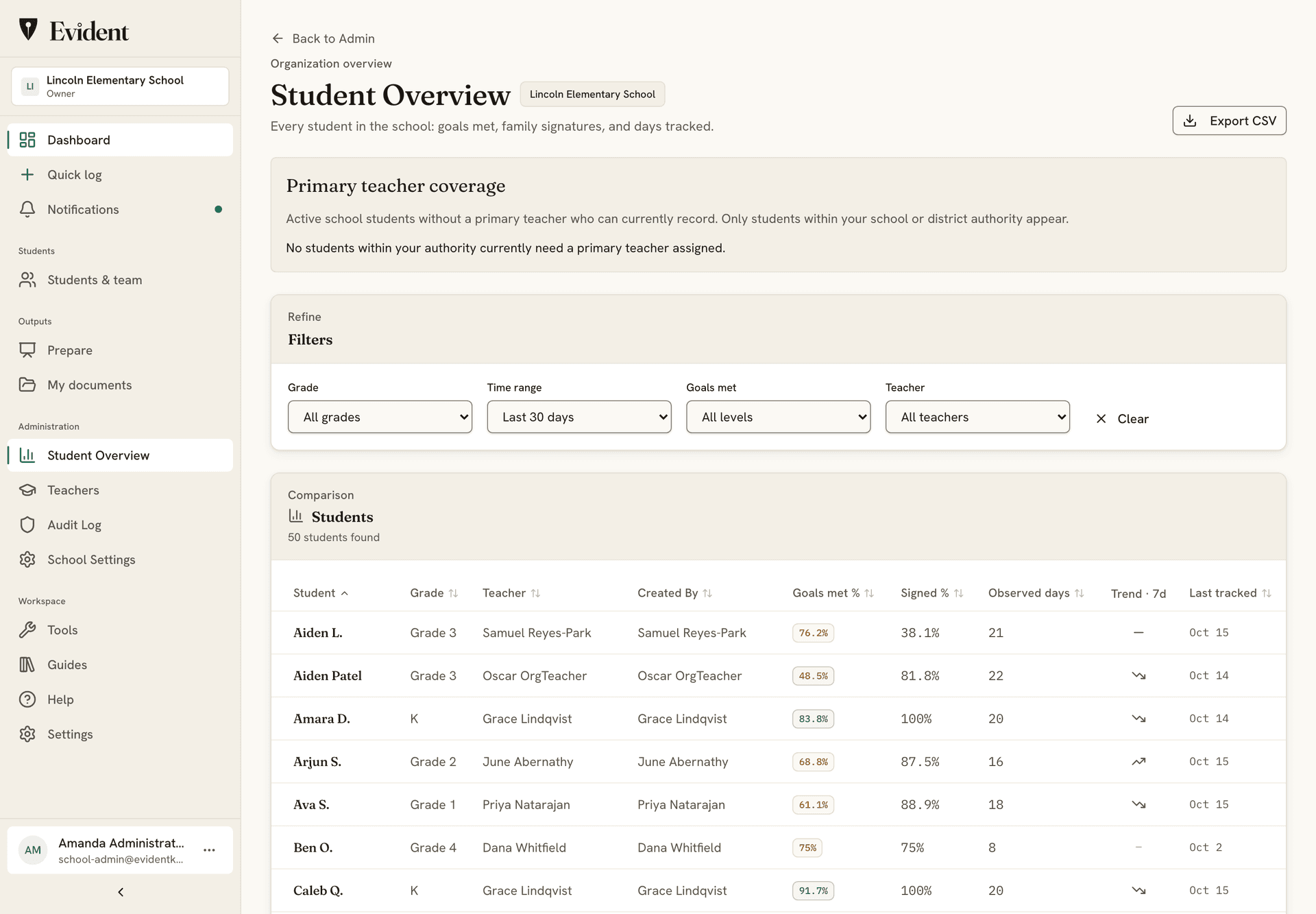
Also included
- IEP goals, behavior plans, accommodations. Eight measurement types, FBA and ABC data, a BIP builder.
- Reports and packets. Progress reports, evidence packets, and BIPs as PDF, translated with the English alongside.
- Caseload Calendar. A weekly grid of sessions, so every student gets their service minutes.
- Chrome extension. A data point from any tab in about ten seconds, offline too. Add to Chrome, free
Student data stays safe, and stays yours.
Plain promises, each one backed by how Evident is built.
- EncryptedStored and sent
Student records are encrypted where they're stored and on the way to your screen.
- Never soldTo anyone
Not in any form. Our agreement with your school says so in writing.
- No adsNo marketing
No ad networks, no tracking pixels, nothing marketed to students or families.
- Never trains AINames removed first
Names are removed before text is sent to a model. AI writing starts from your recorded evidence; you review and edit the draft before sharing. It stays off unless your school turns it on.
- LockedTo the right people
Teachers see only their own students and the ones shared with them. The system enforces it, not just the screen.
- 24 hoursTo tell your school
If something ever goes wrong, we tell your school within a day of learning about it.
Download it anytime. Export any student's record as a PDF, or your whole account as a file.
Delete it anytime. Remove a student or your account yourself. It's gone from backups within 30 days.
See who looked. Every change, and every opened private note, is logged. The log can't be edited.
- FERPA-conscious workflows
- DPA & NDPA ready for districts
- No government ID numbers, birthdates, or home addresses
- Two-step sign-in
- Every company that touches the data, listed publicly
Read our 12 student privacy commitments →Security overview →
Set one goal this week.
- Free30 studentsCharts, daily logging, family portal
- Pro$12 / moPDF reports and packets
- Schools$1,800 / yr10-seat Support Team and up
See full pricing & plansProcurement & billing docsDistricts: apply to the partner program
No credit card, and your first PDF report is free.