Keep up with the school day. Keep a useful student record.
Mark daily goals, save observations, and choose what families see. Keep the record close to the moment, so you can return to specifics when a family or teammate asks how things are going.
No credit card. Start with your own classroom or caseload.
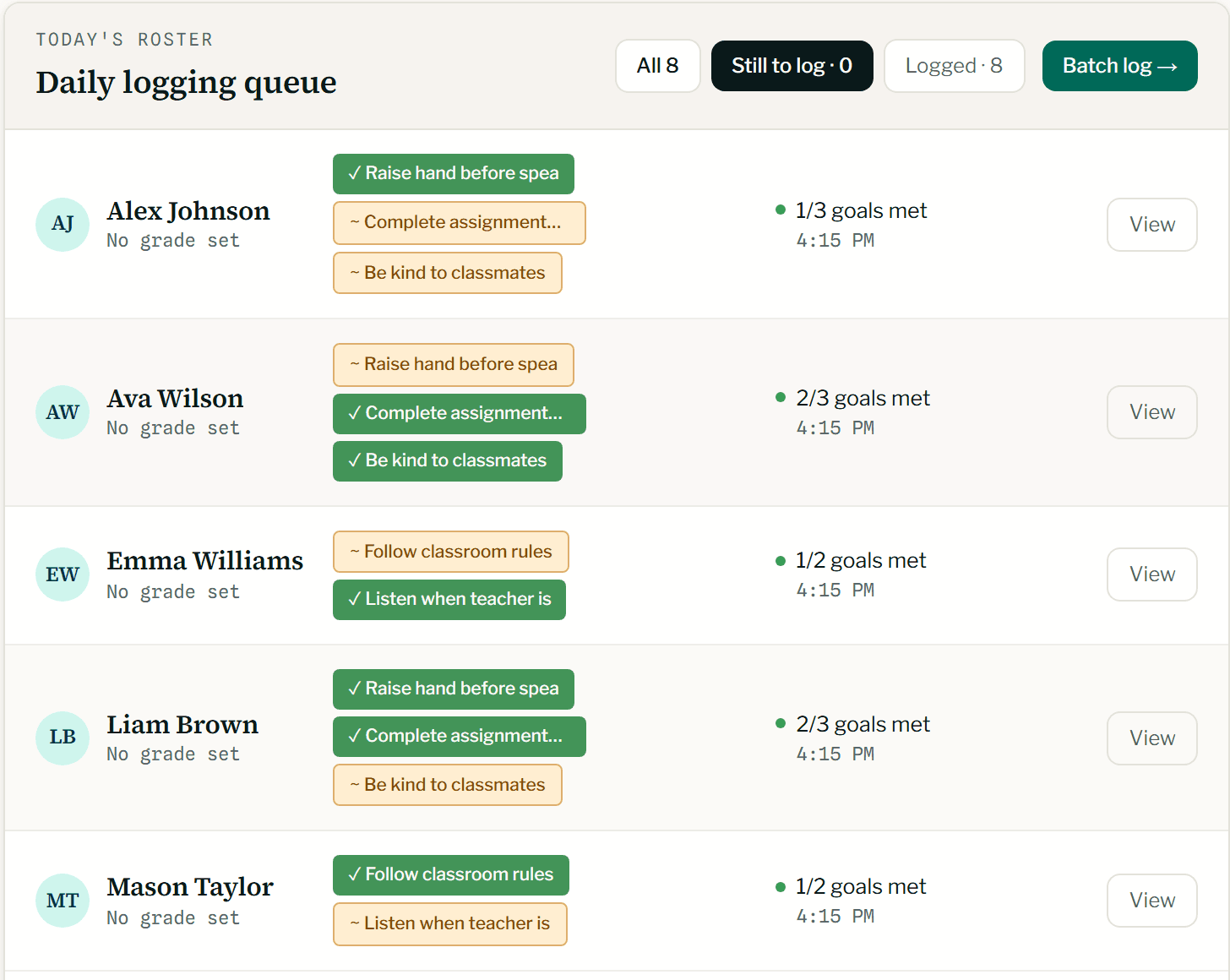
A small daily routine. Specifics you can return to.
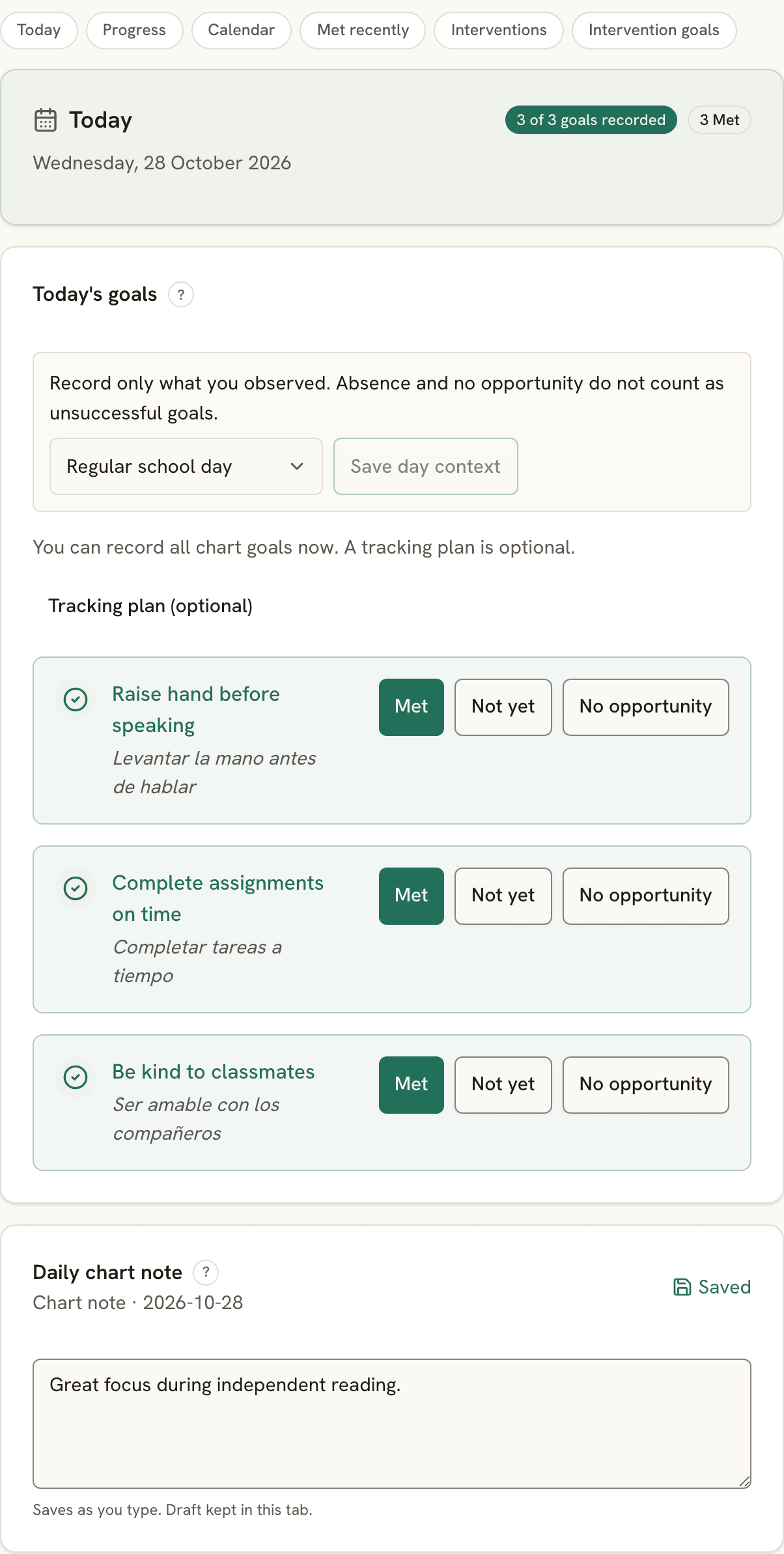
During class: mark what happened.
Open the day’s tracking, mark goals Met, Not yet, or No opportunity, and add a short note when context matters. Attendance stays visible beside the work.
Before going home: choose the update.
Review what you want the family to see. Publish the useful context while keeping staff-only observations in the team record.
Before a review: return to the dates.
Read the notes and recorded results over the period. Select the evidence for a conference or team meeting, then check the packet before sharing.
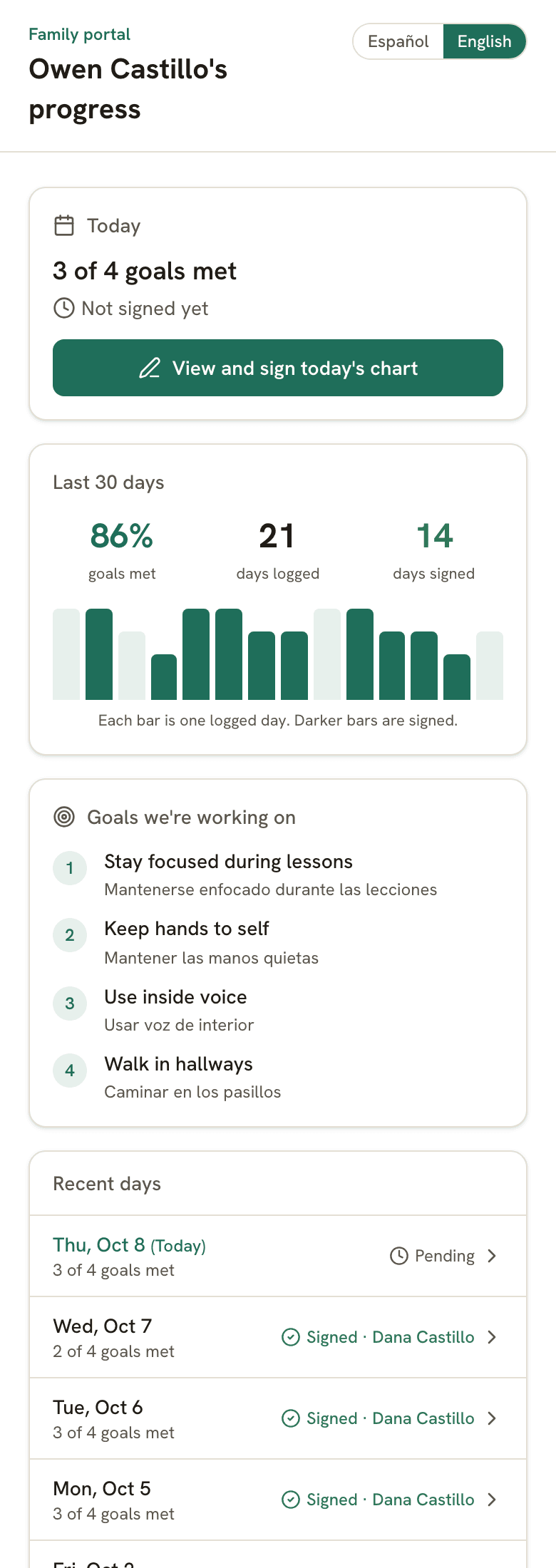
Give families something specific to respond to.
Share a moment of growth, the goal being practiced, or a useful next step. Families open a link or QR code without installing an app.
The day and the week
Families see the shared record for their child, with room to sign or reply.
The family’s language
Shared updates support 28 languages. Review important wording with the family when clarity matters.
The staff record stays separate
A saved staff note is available to the authorized team. You make the decision to publish a family update.
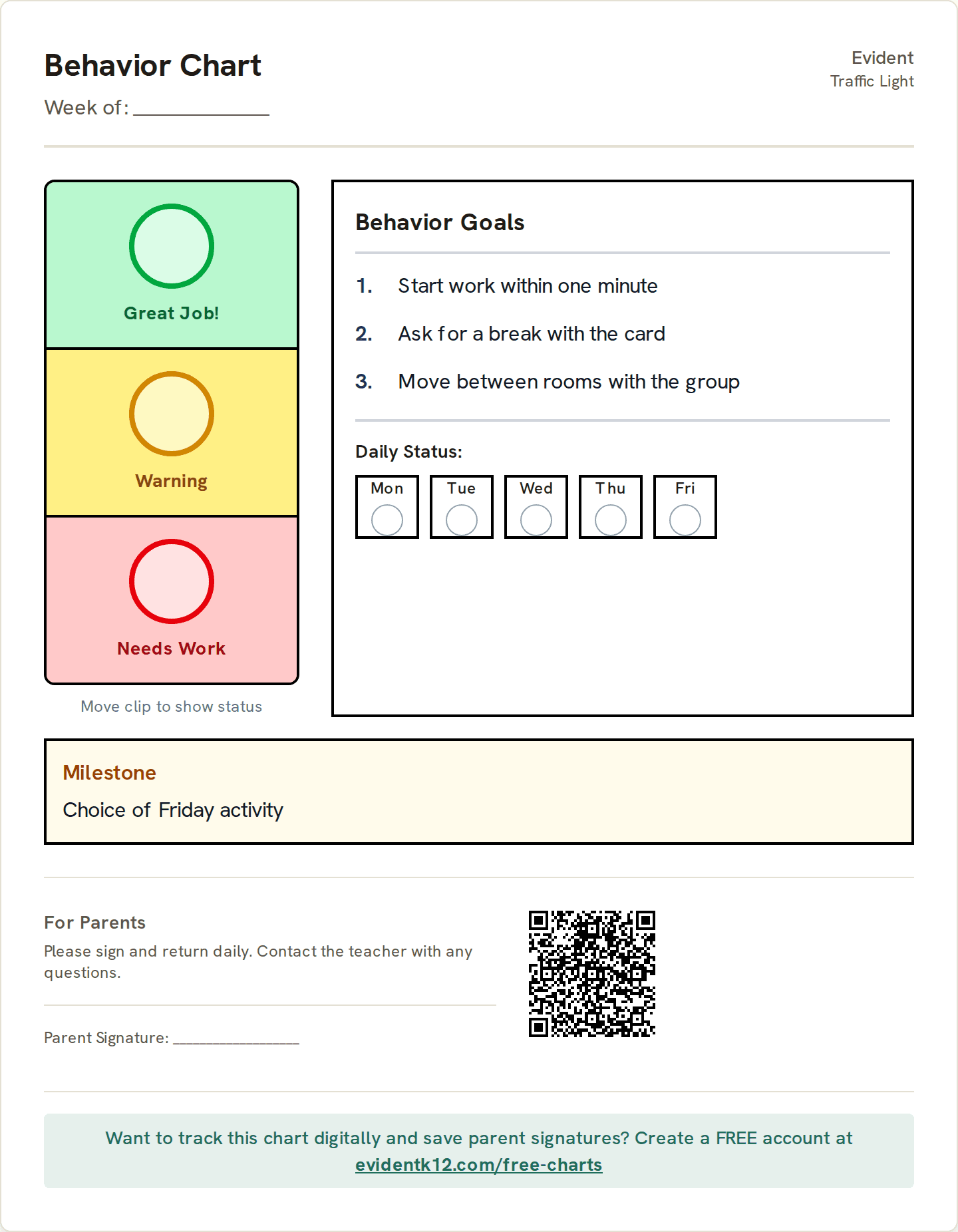
A printed chart can be the first step.
Choose the goals and a layout your student can use. Print it for the classroom, then add digital tracking when you want a dated record the team can review.
Student data stays safe, and stays yours.
Plain promises, each one backed by how Evident is built.
- EncryptedStored and sent
Student records are encrypted where they're stored and on the way to your screen.
- Never soldTo anyone
Not in any form. Our agreement with your school says so in writing.
- No adsNo marketing
No ad networks, no tracking pixels, nothing marketed to students or families.
- Never trains AINames removed first
Names are removed before text is sent to a model. AI writing starts from your recorded evidence; you review and edit the draft before sharing. It stays off unless your school turns it on.
- LockedTo the right people
Staff see only the students shared with them, in the role they were given. The system enforces it, not just the screen.
- 24 hoursTo tell your school
If something ever goes wrong, we tell your school within a day of learning about it.
Download it anytime. Export any student's record as a PDF, or the school's records as a file.
Delete it anytime. Remove a student or an account yourself. It's gone from backups within 30 days.
See who looked. Every change, and every opened private note, is logged. The log can't be edited.
- FERPA-conscious workflows
- DPA & NDPA ready for districts
- No government ID numbers, birthdates, or home addresses
- Two-step sign-in
- Every company that touches the data, listed publicly
Read our 12 student privacy commitments →Security overview →
Common questions
Do I need my school to sign up first?
No. Start with a personal free account for up to 30 students. Add your goals and charts, track the day, and use the family portal. You can begin before a school-wide rollout.
Can I record something other than a behavior concern?
Yes. Record positive growth, observations, and support alongside concerns. Daily charts can track academic, communication, independence, and classroom goals.
Do saved notes automatically go to families?
No. Staff choose which notes to publish. Saving an observation to the staff record does not publish it to the family portal.
What happens if the student had no opportunity to try a goal?
Use No opportunity when that is what happened. It stays distinct from Not yet, so a missed opportunity is not presented as a failed attempt.
Can we start with paper?
Yes. The free chart maker prints without an account. Digital tracking is a separate step; writing on a printed chart does not automatically add data to Evident.
Can I prepare something for a meeting?
Yes. Choose the dated notes and recorded goal data for a report or meeting packet, then review it before sharing. Your first PDF report or meeting packet is free; see pricing for later exports.
Start with a goal you already work on.
Add one student, choose a daily goal, and record the next observation. Build the classroom routine from there.
See how your team uses the same record.
Special education case managers
Measured progress, team contributions, and review dates across your caseload.
MTSS coordinators
Review the support delivered alongside the progress measured, then record the next decision.
School & district leaders
Find records that need attention and follow through with the team responsible.
Counselors & student support
Confidential session notes, a working caseload, and dated follow-ups.
Behavior analysts
Staff instructions, attributed observations, and reviewed program changes.