Growth updates that speak every family's language.
Log goals and growth moments in English, translate them into 28 languages with one click, and send home updates families can understand. Parents scan a QR code to view daily evidence in their own language.
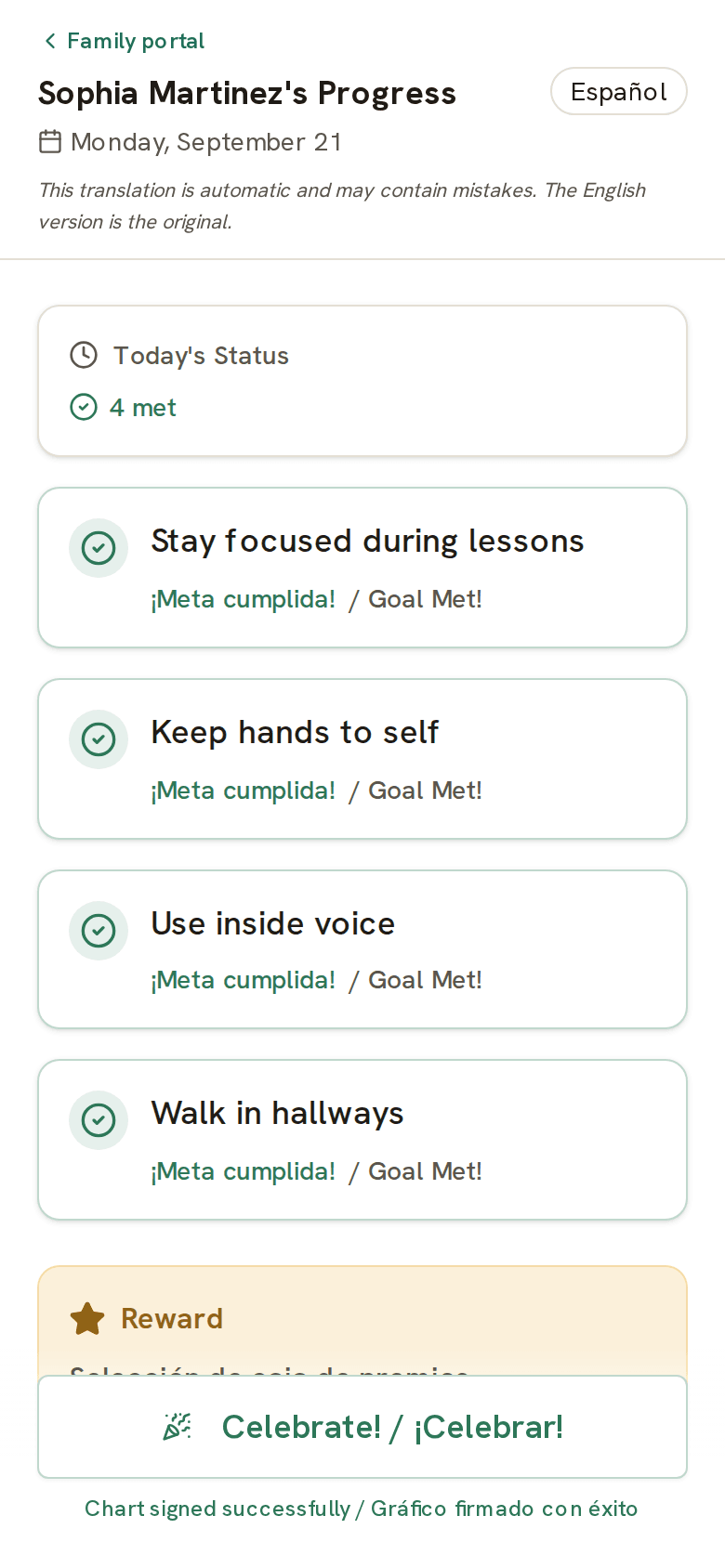
Every family reads the same update in their own language.
When a family doesn't speak English, behavior communication breaks down. Notes go unread, phone calls need interpreters, and daily report cards sit unsigned in backpacks. With Evident, families read the day's goals, status, and a sign-off button in their own language without waiting on an interpreter. Translate the chart with one click, and parents view it on the QR-code portal.
Built for multilingual classrooms.
Instant Translation to 28 Languages
Write in English, then translate with one click: charts, family updates, weekly summaries, and conference packet PDFs. Spanish, Chinese, Arabic, Vietnamese, Korean, and more, with translation that understands educational context.
QR Code Family Portal
Every printed chart has a QR code. Families scan it with their phone and see daily growth updates in their own language. No app to install, no login, no English required.
Bilingual Printed Charts
Print charts with goals in both English and the family's language side by side. Send the chart home in the student's folder so everyone is on the same page.
Family Sign-Off in Any Language
Families view the day's growth notes on their phone, see them in their language, and sign off digitally. The signature appears on your dashboard instantly.
Progress Reports
Generate PDF progress reports with trend charts and data tables. Share with parents and teams to show growth over time, regardless of language barriers.
IEP & 504 Data Collection
Track IEP goals with multiple measurement types. Goals in the library translate alongside the chart so bilingual families understand what's being measured.
Status a Parent Can Read at a Glance
Color-coded feedback carries the day's status even before the words do. A parent who doesn't read English still sees green, amber, and red, plus a smiley face or star, and knows how the day went.
Team Collaboration
ESL specialists, classroom teachers, and special education coordinators all see the same student data. No duplicate tracking across programs.
From English notes to a chart families can read.
- 1 Create goals and growth notes in English
- 2 Translate the chart into the family's language with one click
- 3 Print the bilingual chart and send it home in the student's folder
- 4 Log daily growth moments in seconds. Data saves automatically
- 5 Parent scans the QR code and views the report in their language
- 6 Parent signs off digitally from their phone
- 7 Progress data builds into trend charts over weeks and months
- 8 Export PDF reports for parent conferences and IEP meetings
How many languages can I translate into?
28, including Spanish, Chinese, Arabic, Vietnamese, and more. Write goals and notes in English and translate the chart with one click.
Do families need to install an app?
No. A QR code opens a parent portal in the browser, where families view daily updates in their own language: no app, no account.
Can I send a bilingual chart home on paper?
Yes. Translate the chart and print it bilingual, so the version in the student's folder is one the family can read.
Does translation cover IEP goals and behavior notes?
Goals, growth notes, behavior updates, weekly family summaries, and conference packet PDFs all translate, so multilingual families get the same record English-speaking families do. Packet PDFs export bilingually, with each translation above the English original.
Is student information sent to the AI translator?
Not names. Evident removes the student's name before any note, summary, or packet text is sent for translation, you review the redacted text first, and names are restored on your device afterward.
Send it home, get it back signed.
Write goals in English, translate with one click, and let parents view daily evidence and sign off on their phone in their own language. No interpreter call required for routine updates.